How much to invest in a first Google Ads campaign: setting a budget
How to set a first Google Ads budget from the business goal, margin and ability to measure enquiries, without copying a universal figure.

A first Google Ads campaign does not need to start with a number copied from a table. The budget should come from the test the business wants to run, the maximum acceptable cost per qualified enquiry and the ability to follow what happens after the click. No budget guarantees enquiries or sales.
For a small business, the safer starting point is a limited scope: one service, one service area and a landing page with a working contact route. Then decide what to measure before increasing spend.
Start with the test, not the number
Before opening Google Ads, answer a few practical questions:
- Which service or product is being tested?
- Which locations can the business actually serve?
- What counts as a conversion: a form, a call, a quote request or a purchase?
- Who follows up on enquiries, and how quickly?
These decisions matter because the budget buys opportunities for the ad to appear. It does not fix a page that fails to explain the service, a broken form or a sales process with no owner. RPShift's guide to Google Ads or SEO on a limited budget explains the difference between appearing, receiving visits and receiving useful enquiries.
An initial campaign also does not need to cover every service. A small set of searches with clear intent makes search-term reports easier to read and makes the next adjustment more obvious. Location targeting should match the area the business can serve, rather than defaulting to the whole country.
Set a working ceiling
A useful starting point is the maximum amount the business is willing to pay for a qualified enquiry. This is not the cost per click. It is an internal limit based on margin, the likely value of a new customer and the share of enquiries that normally move forward.
In a hypothetical example, a business might decide to spend no more than 40 euros per qualified enquiry during a first test of 320 euros. That produces a theoretical ceiling of eight enquiries at that cost, but it is not a forecast of what the campaign will deliver. If the data shows irrelevant searches or enquiries outside the service area, increasing the budget does not solve the problem.
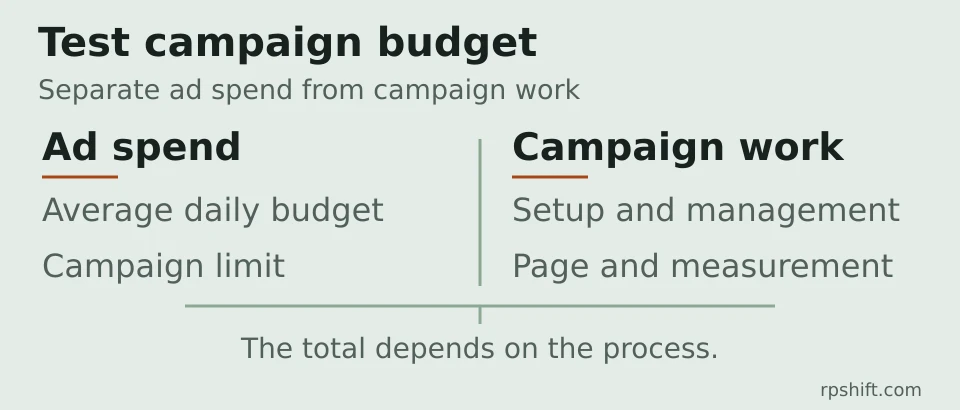
The test can also be separated into different costs:
- money paid directly to Google for the ads to run;
- setup, keyword research, ad creation and management;
- landing-page work, tracking and website changes;
- the team's time to respond to and qualify enquiries.
Ad spend does not automatically include the rest of the campaign work.
Turn a monthly amount into a daily budget
In Google Ads, a campaign can use an average daily budget. Google explains that spend can vary from day to day as demand changes, and that monthly planning uses 30.4 as the average number of days in a month. For a hypothetical test of 320 euros per month, dividing by 30.4 gives an average daily budget of about 10.53 euros.
This does not mean the campaign will spend exactly 10.53 euros every day. For most campaigns, Google describes a daily spending limit of up to twice the average daily budget and a monthly limit of 30.4 times that budget. Actual billing remains subject to the limits described in the platform documentation. Check the campaign type and budget report before treating the daily figure as a hard daily cap.
Google's guide to choosing a bid and budget explains average daily budgets, shared budgets and the difference between a maximum bid and actual cost per click. Google's budgets overview describes daily and monthly limits for most campaigns.
Keep the first campaign small
A limited budget works better when the campaign has clear rules. Starting with one service and ads that match the landing page is usually easier to assess than spreading a small amount across many ad groups without enough data. These checks help prevent rushed decisions:
- Confirm that the triggered searches match the service and location.
- Exclude searches for jobs, education, general information or areas the business does not serve when they are irrelevant.
- Check that the form, phone number and conversion events record the intended actions.
- Separate enquiries received from qualified enquiries and completed sales.
- Log budget, ad and keyword changes so they can be compared with the results.
Google's Keyword Planner can help find related terms and view estimates for searches and costs. Forecasts depend on several factors, including bid, budget, location, ad quality and customer behaviour. An estimate is therefore not a promise of clicks or enquiries.
When to increase, fix or stop
Increasing spend just because a campaign received clicks is a weak decision. First check whether the searches are relevant, the landing page matches the ad and the enquiries reach the right person. A campaign can stay within its budget while still failing to show what needs fixing.
If relevant searches appear, tracking works and qualified enquiries fit the internal limit, a gradual budget test may make sense. If the page is not ready or enquiries are not handled, fix the process first. If the test no longer fits the season, service area or available margin, pausing is also a valid decision.
RPShift provides Google Ads setup and ongoing campaign management with a defined scope. The client keeps ownership of the ad account, and money paid to Google is separate from management work.
Frequently asked questions about the budget
What is the minimum investment to start?
There is no universal figure that suits every business. The starting point should fit the amount the business is willing to test and produce enough information to assess searches, enquiries and their quality. A budget that is too small may produce little data, but a larger budget does not fix a poorly defined campaign.
Is the average daily budget the amount spent every day?
Not necessarily. Google Ads uses an average daily budget and may vary spend between days. The official documentation describes daily and monthly limits for most campaigns. Follow the budget report and cost history rather than assuming the daily amount is a strict daily cap.
What if there are clicks but no enquiries?
Start by checking search terms, the match between the ad and the landing page, the contact route and conversion tracking. Only then decide whether the campaign needs a different structure, a different page or a pause.
Should a small budget be split across several campaigns?
Not always. A narrower campaign can make the data easier to interpret. Split the budget when the objectives or services are genuinely different, not simply to cover every possible search at once.