Free CRM for small businesses: when it is enough and when it is not
Free CRM plans for small businesses: real limits, the signals that make a paid plan worth it, and data checks before importing contacts.

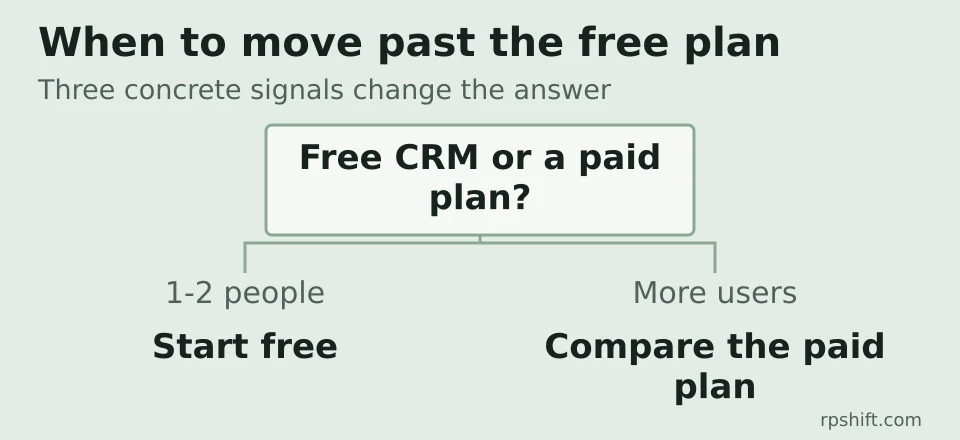
Most small businesses start with limited budget and few established processes. In an operation run by one or two people, with a simple pipeline and follow-up handled by email or a spreadsheet, a free CRM is usually enough to begin with. The decision point is not the feature list; it is concrete needs: multiple users who need write access, systematic follow-up, and reporting. When those needs appear, free plans in this segment typically cap user counts, pipelines and automation, and vendor pricing pages describe those limits openly.
What a CRM does, concretely, is centralize customer data and interactions in one place: contacts, companies, deals, notes, and communication history. In a study cited by the monday.com blog, 83% of small businesses reported a positive return on investment from a CRM, and 76% reported more accurate reporting after implementation. Those figures come from a study sample, not a universal guarantee, but they explain why the topic appears so often in small-business guides.
What a CRM actually does
In a business with several points of contact, information tends to be split across emails, spreadsheets, notebooks, and messages. A CRM brings that information into one record per customer, with the interaction history attached. That lets anyone on the team see the state of a negotiation without searching old emails, and it makes follow-up less dependent on each person's memory.
The important part is not the software itself but the habit of logging: every request, proposal, and contact stays attached to the customer. Without that habit, any tool, free or paid, stays underused.
The real limits of free plans
Free plans in this segment are real and work for starting out, but they have concrete limits, described on the vendors' own pages. Zoho's free CRM edition, for example, is free forever, supports up to 3 users, and includes leads, documents, and mobile apps, as described on the Zoho pricing page. HubSpot offers a free CRM with contact and company management and a basic pipeline, according to its product page.
The most common limits, across different vendors, concern the number of users with write access, the number of pipelines or funnels, email automation and sequences, and custom fields. Those numbers change with commercial terms, so it is worth checking the current plan on the vendor's site before deciding.
When a paid plan becomes worth considering
There are three concrete signals that a free plan stopped being enough. First, more than one or two people need to add and edit records, not just view them. Second, manual follow-up by email or spreadsheet starts leaving requests unanswered or creating duplicates. Third, the business needs reports and forecasts that go beyond a spreadsheet with filters.
In a hypothetical workshop with three people, the first signal appears when the owner has to share access with a colleague who receives requests and updates the state of negotiations. At that point, a free plan from a vendor with a user cap no longer covers the process, and a paid plan becomes a per-user cost decision, not a question of features.
Preparing your data before importing
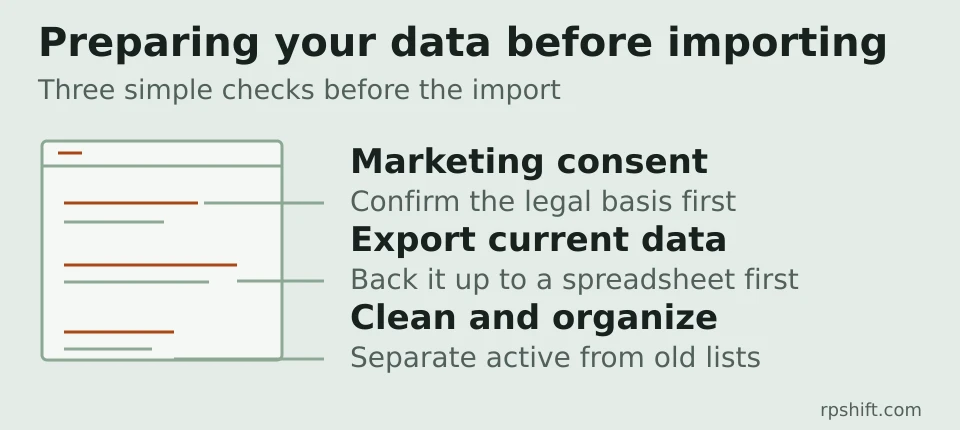
Before importing contacts into a CRM, three checks matter. First, confirm that the business has the appropriate consent to use those contacts for marketing, where that applies. Second, export the current data to a spreadsheet or simple database as a backup. Third, define what to keep: active customers, open negotiations, and history, separated from old lists.
Those three tasks take a few hours and avoid two common problems: duplicate contacts in the new system, and data that cannot be exported when switching vendors.
Frequently asked questions about free CRMs
Is the free plan a commercial trap?
No. It is a legitimate way to start, and several vendors offer permanent free plans, not just time-limited trials. The point of attention is the user and automation cap, which defines the moment when the business needs to compare the paid plan's cost against the manual work it stops doing.
How much does a paid CRM cost?
It depends on the vendor and the plan, and prices change frequently. Each vendor's pricing page is the reliable source. What matters in the comparison is not just the per-user price but what the plan includes: user count, pipelines, automation, and reporting.
Is a spreadsheet enough to start?
Yes, for an operation run by one or two people with a simple pipeline. The limit appears when manual follow-up becomes inconsistent, or when two or more people need to work on the same set of contacts.
How do you switch CRMs without losing data?
Export the data from the current system, clean duplicates, and define the field mapping before importing. Most vendors offer spreadsheet import, and the process usually takes a day of work, not a week.
A note on unusual processes
If the work process combines tools, documents, and external systems in an unusual way, a generic CRM may not cover everything. In that case, custom internal tools and workflow automation, such as the scoped projects RPShift builds, can be a practical alternative to a generic CRM. The decision depends on the concrete process, not the size of the business.
Further reading
- Google Ads or SEO: how to choose with a limited budget - the marketing channels guide complements this one: this article covers contact management, that one covers where contacts come from.
- Contact RPShift - for a conversation about the business's concrete process.